 Thailand
 Malaysia
 Singapore
 Indonesia
 Philippines
 Australia
 United
States
United
States United Kingdom
 India
India















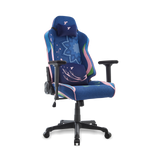
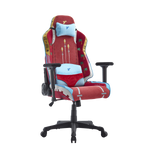
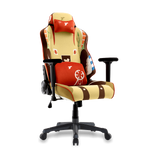
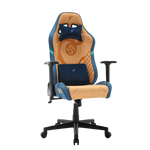



















































 Thailand
 Singapore
 Indonesia
 Australia
 United States
 United Kingdom
From Clutter to Clarity: How to Build the Perfect Ergonomic Office Desk Environment

Put away from static posture and visual distraction toward an optimized, pain-free environment that maximizes continuous focus and protects long-term health.
The transition to a high-performance workspace requires a holistic approach that moves beyond simply buying the right furniture. This comprehensive guide outlines the critical steps to harmonize your office desk environment, blending efficient organization with precise physical ergonomics to eliminate distractions, reduce pain, and maximize your cognitive focus throughout the workday.
Summary of Key Information
-
Product Group: Ergonomic Office Desks, Standing Desks, and Workspace Accessories
-
Primary Purpose: Reduce cognitive load, prevent physical fatigue (strain/pain), and maximize sustained focus/productivity through precise ergonomic alignment.
-
TTRacing Products Highlighted: Electric standing desk, adjustable standing desk, Monitor Arms, Ergonomic Chairs (e.g., TTRacing chair).
-
Non-Negotiable Features: Effective Cable Management, Vertical Space Utilization (Monitor Arms), The 90-Degree Posture Rule, Dynamic Movement (Height Adjustment), Correct Monitor Height (Top of screen at eye level).
-
Key Advantage (Dynamic Work): Utilizing the standing desk to alternate between sitting and standing positions, preventing the mental and physical lull associated with static posture.
-
Caution: Clutter increases cognitive load; fixed/static posture is detrimental; desk must be adjusted to the individual user's body (personalized fit).
-
Essential Reading: Product manuals for setting memory presets; User Guide for proper 90-Degree Rule alignment.
-
Latest Update: December 2025
The Mental and Physical Cost of Chaos

Before tackling solutions, it's essential to understand the detrimental effects a chaotic workspace has on both your mind and body. This section defines the cognitive cost of visual clutter and the physical strain caused by an unoptimized environment.
The Hidden Tax of Clutter
A disorganized office desk environment is more than just an eyesore; it levies a hidden tax on your cognitive resources. Every misplaced cable, stray piece of paper, or forgotten mug increases your cognitive load. This means your brain is constantly dedicating a fraction of its processing power to filtering out visual noise and recalling where things are, causing mental fatigue and reducing your ability to focus on deep, complex work. Furthermore, physical disorder—like stretching or twisting to reach items—causes micro-stresses that contribute to poor posture and physical strain.
Thesis: Clarity as a Tool for Performance
True workspace optimization combines ruthless organization with precise ergonomics, transforming your office desk into a launchpad for peak productivity. Our goal is to eliminate both visual disorder and physical strain, creating an environment that supports your body's health and frees your mind to achieve peak performance. This guide explores two main pillars for achieving this: Organizational Clarity (reducing visual noise) and Physical Comfort (mastering ergonomic alignment).
Pillar 1: Achieving Visual Clarity (The Organized Office Desk)
Organizational clarity starts with addressing the elements that contribute the most to visual noise and distraction, primarily messy cables and underutilized vertical space.
Taming the Tangled Web: Cable Management
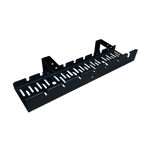
The mess of tangled power cords and charging cables is the most common distraction in any workspace. Effective cable management is non-negotiable for a clean aesthetic and safe environment. Strategies include hiding, bundling, and routing cables effectively to reduce visual noise. The best solutions involve utilizing cable trays or nets underneath the office desk to lift cords off the floor and out of sight.
Using simple Velcro straps to bundle wires running to the monitor or PC further simplifies the look.
The Vertical Strategy: Reclaiming Desk Space
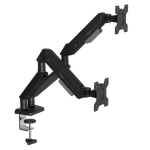
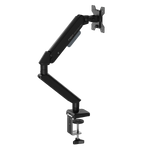
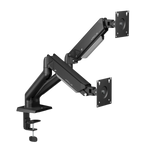
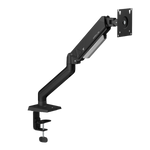
The fastest way to clean your primary work surface is to think vertically. Monitor arms are the most powerful tool for this, lifting your screens off the tabletop and providing crucial adjustability. Similarly, utilize vertical organizers, desktop shelves, or even vertical docking stations for laptops to reclaim the critical area where you place your arms and input devices. Adopt the "Essential-Only" Rule: only the immediate tool needed for the current task stays on the office desk; everything else is stored away.
Pillar 2: Mastering Physical Ergonomics (The Desk and Chair Interface)
Once the visual chaos is gone, we turn our attention to the physical alignment that supports your body for hours of focused work.
The Core Posture Principles
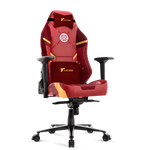
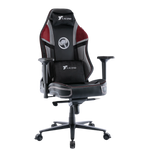
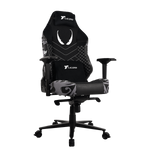
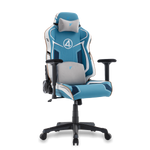
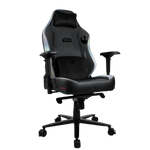
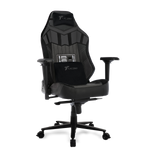
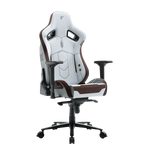
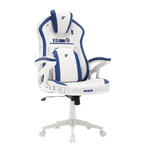
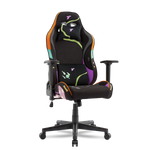
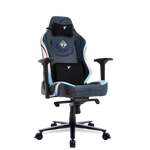
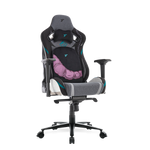
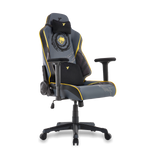
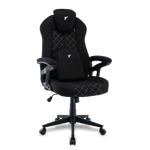
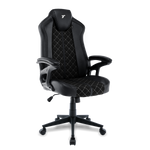
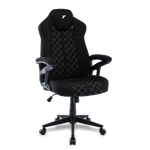
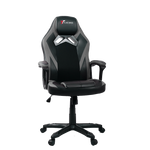
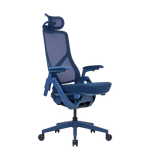
The foundation of comfort lies in achieving the 90-Degree Rule. Whether you are sitting in your TTRacing chair or standing at your standing desk, your elbows, hips, and knees should all be bent at approximately 90-degree angles.
This distributes weight evenly across your body. For the upper body, focus on Shoulder Relaxation: Adjusting the height of your chair and armrests (ideally 4D-adjustable armrests) to keep your shoulders completely relaxed and your forearms parallel to the ground. This relieves the muscles that cause neck and upper back tension.
The Power of Dynamic Height Adjustment
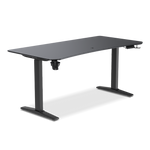
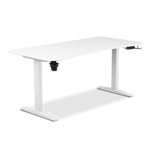
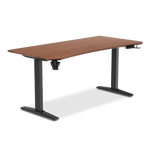
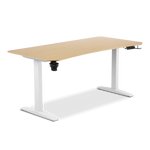
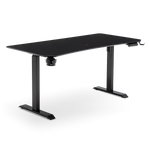
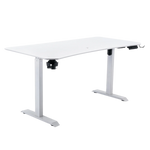
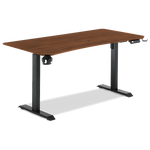
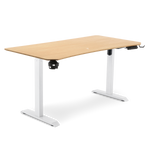
Static sitting, even with perfect posture, is detrimental over long periods. This is where the advantage of a TTRacing electric standing desk or adjustable standing desk becomes clear. The standing desk allows you to alternate positions throughout the day, engaging different muscle groups and boosting circulation, aligning with the TTRacing philosophy of dynamic movement. To eliminate the friction of switching, always program your perfect sitting and standing heights into the desk’s memory presets for instant, effortless transitions.
Pillar 3: Optimizing Input and Output (Peripherals)
The final layer of ergonomic optimization focuses on how you interact with your technology—your monitors and your input devices.
Monitor Placement for Neck Health
Incorrect monitor height is the primary cause of neck strain. Your monitor must be placed so the top of the screen is at or slightly below eye level. This prevents you from tilting your head backward (hyperextension). The ideal monitor distance should be approximately an arm’s length away (around 50-70 cm). For multi-screen setups, ensure the primary monitor is centered directly in front of you, with the secondary screen angled slightly inward to reduce excessive neck rotation.
Keyboard, Mouse, and Wrist Support
Your input devices should minimize wrist bending and reaching. The keyboard should be placed directly in front of the user, positioned close enough that your elbows remain near your body. The mouse should also be close to the body to avoid stretching the shoulder and elbow. The role of wrist rests is often misunderstood: they are designed to support the wrist during breaks in typing, but you should aim to maintain a neutral wrist position while typing, with your palms slightly floating above the keyboard.
Your New Productivity Launchpad

By successfully integrating organizational clarity with precise physical comfort, your workspace is now calibrated for high performance. This final section provides a quick summary checklist and a call to action to solidify your new ergonomic habits.
The Clarity and Comfort Checklist
Use this checklist to verify your office desk is fully optimized for peak performance and long-term health:
-
Cable Management: All cables are bundled, routed, and hidden beneath the desk (using a cable tray).
-
Monitor Height: The top of the screen is at or slightly below eye level.
-
Chair Alignment: Elbows, hips, and knees are at 90-degree angles; shoulders are relaxed.
-
Dynamic Movement: Sitting and standing memory presets are programmed and used every 30-60 minutes.
-
Desk Surface: Only essential tools for the current task remain on the primary work area.
Discover your Optimum Efficiency
Investing time and effort in optimizing your ergonomic standing desk environment is the single best investment you can make in your daily health and sustained productivity. By moving from clutter to clarity, you are not just organizing your space—you are optimizing your mind and body for peak performance. Upgrade your focus, eliminate pain, and master your day with a truly high-performance workspace.
Find out the full range of electric standing desk solutions and accessories from TTRacing Thailand today.
Follow news and great promotions from TTRacing Thailand at
Facebook: TTRacing Thailand
TikTok: TTRacing_Thailand (Live channel)
Instagram TTRacing_th
X: TTRacing
YouTube: TTRacing
Information By
Author: Standing Desk & Lifestyle Content Team
Reviewer: Standing Desk Specialist
Role: To provide advice on selecting the correct chair and proper sitting posture.
Contact Channels: hello@TTRacing.co.th | Tel. 097-064-3960 | Line @TTRacing | Facebook TTRacing Thailand
Frequently Asked Questions (FAQs)
These are the most common questions professionals ask when setting up or transitioning to an ergonomic, dynamic workspace.
-
How often should I switch between sitting and standing?
There is no fixed rule, but the recommended ratio is to change your posture every 30 to 60 minutes. A popular guideline is the 20/8/2 rule: 20 minutes sitting, 8 minutes standing, and 2 minutes stretching/walking, repeated hourly. The key is dynamic movement, so use your desk’s memory presets frequently to avoid static, prolonged posture.
-
Can I use a laptop on my standing desk without an external monitor?
Yes, but only if you use a laptop stand that elevates the screen. Simply placing a laptop on the desk will force you to look down, immediately violating the eye-level rule and causing severe neck strain. A stand allows you to set the screen height correctly, and you should use a separate external keyboard and mouse to maintain the proper 90-degree arm position.
-
Is the electric standing desk stable when I type quickly at standing height?
High-quality electric standing desk models, particularly those with dual-motor lift systems like TTRacing offers, are engineered for superior stability. While some minor wobble is unavoidable at extreme heights, it should be minimal and imperceptible during standard typing. If you notice excessive instability, ensure your desk is perfectly level and that the weight is distributed evenly.
-
Why should I invest in a cable management tray instead of just using zip ties?
While zip ties help bundle cables, a mounted cable management tray or net addresses the core problem of Visual Clarity and safety. A tray lifts all power bricks and excess slack off the floor, eliminating visual clutter from your feet, making cleaning easier, and preventing accidental disconnections or tripping hazards.
-
What is the 90-Degree Rule and why is it so important?
The 90-Degree Rule is the core principle of ergonomic alignment. It refers to ensuring three key joints are bent at approximately 90-degree angles while sitting: the elbows (forearms parallel to the desk), the hips (thighs parallel to the floor), and the knees (feet flat on the floor). Maintaining this triple-90 alignment ensures proper weight distribution, minimizes pressure on joints, and keeps your spine in a neutral, supported position.