 Thailand
 Malaysia
 Singapore
 Indonesia
 Philippines
 Australia
 United
States
United
States United Kingdom
 India
India





























































 Thailand
 Singapore
 Indonesia
 Australia
 United States
 United Kingdom
Standing Desk Deep Dive: Sizing, Color, and Ergonomic Setup for Dynamic Workspaces

For years, the conversation around standing desks has been framed as a battle: standing versus sitting. But that perspective is outdated. The real, transformative benefit of a quality standing desk lies not in standing alone, but in dynamic movement—the ability to easily and frequently alternate positions. The goal isn't to stand all day; it’s to eliminate prolonged, static posture.
This frequent, low-impact movement prevents the mental fatigue and restlessness associated with being stuck in one position, significantly boosting circulation and alertness. It’s an investment in energy management, turning your workspace from a static location into a flexible environment that supports your body’s natural need to move.
Summary of Key Information
-
Product Group: Smart Standing Desks (Electric Height Adjustable Desk)
-
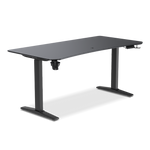
TTRacing Model Titus Smart Standing Desk: Titus and Titus X variants
-
Primary Purpose: To enable Dynamic Movement (alternating sitting/standing) to eliminate static posture, boost circulation, and maintain cognitive focus.
-
Key ErgonomicsThe 90-Degree Rule: (Elbows at 90° for sitting and standing); Top of monitor at eye level.
-
Essential Accessories: Anti-Fatigue Mat (for standing comfort) and Monitor Arms (for instant height adjustment).
-
Key Advantage: Utilizing Memory Presets for instant, accurate transitions and building the 30:30 Sit-Stand Protocol habit.
-
Sizes Available: Ranges from S (120cm) up to XL (180cm) to fit various workspace sizes in Thailand (e.g., condos to large offices).
-
Latest Update: October 2025
Defining the Three Pillars of Optimization
To help you get the absolute best value from your investment, this guide focuses on three critical areas for optimizing your new, dynamic workspace:
-
Mastering the Ergonomics (The Setup): Ensuring your desk and accessories are perfectly adjusted for your body, whether you are sitting or standing.
-
Optimizing Energy and Focus (The Habit): Developing a schedule for movement that prevents fatigue and supports cognitive flow.
-
Integrating the Desk into Your Workflow: Choosing the right size and color, and using technology to make dynamic movement seamless.
Mastering the Ergonomics (The Setup)
The most important rule of a standing desk is this: An improperly set up standing desk is worse than a perfectly set up static desk. Proper ergonomics must be maintained across both your sitting and standing heights.
The Golden Rules for Posture (Sitting and Standing)
-
Desk Height (The 90-Degree Rule): This is the foundation of your ergonomic setup. Whether sitting or standing, the desk height must be set so your elbows are bent at a comfortable 90° angle, and your forearms are parallel to the floor.
Critically, your shoulders should feel relaxed and not shrugging up toward your ears. This ensures that the weight of your arms is properly supported, minimizing strain on the neck and upper back.
-
Monitor Height: The top of your screen should be positioned at or slightly below eye level. This prevents you from tilting your head upward (hyperextension) or downward, which is the primary cause of "tech neck" strain. The distance from your eyes to the screen should be approximately an arm's length away.
Essential Accessories for Support
To truly maximize your dynamic workspace, a few key accessories are non-negotiable:
-
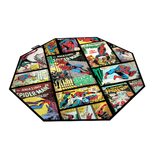
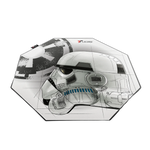
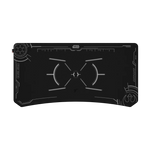
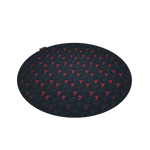
The Anti-Fatigue Mat: When you stand, your feet, knees, and lower back bear the brunt of the load. Standing on hard flooring for long periods rapidly leads to discomfort. A quality anti-fatigue mat provides a cushioned surface that disperses pressure and encourages micro-movements in your feet, significantly reducing foot and leg fatigue. This is essential for standing comfort.
-
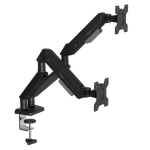
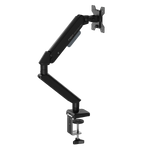
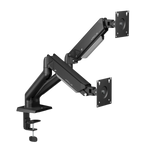
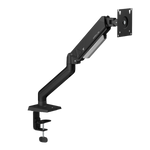
Monitor Arms: While not strictly mandatory, monitor arms offer a huge advantage. They allow you to flexibly and instantly adjust the height and depth of your screen as you transition from sitting to standing, ensuring your monitor height rule is always met. Furthermore, they reclaim valuable desk surface space, contributing to a cleaner, more organized workspace and improving mental clarity.
Optimizing Energy and Focus (The Habit)

A high-quality electric standing desk provides the hardware; your consistent habits provide the software. Simply having the desk isn't enough—you need a strategy for movement.
The Sit-Stand Schedule: When and How Long to Move
-
The 30:30 Protocol: Most ergonomic experts recommend a frequency, not a duration. A great starting point is the 30:30 Protocol: Recommending a switch every 30 to 60 minutes between sitting and standing. This ensures you never settle into a long-term, static posture.
-
The Fatigue Check: The absolute most important rule is to listen to your body. You should switch positions before discomfort sets in. If you find yourself fidgeting, stretching excessively, or feeling a dull ache in your lower back or feet, you waited too long.
Boosting Cognitive Flow
Movement doesn't just benefit your body; it enhances your mind.
-
Micro-Movements: These subtle movements can be encouraged with accessories like a balance board, an active mat, or even an under-desk walking pad. By challenging your balance or allowing you to pace slightly while working, these tools engage your core and leg muscles, subtly boosting circulation without distracting from the task at hand.
-
Breaks and Stretches: No matter how ergonomic your setup is, short breaks are vital. Set a reminder every two hours for simple 2-minute stretches that can be performed right at your desk: neck rolls, shoulder shrugs, and hamstring stretches. This refocuses the mind and interrupts prolonged visual and cognitive focus.
Integrating the Desk into Your Workflow

Choosing the right size and color is the final step in creating a workspace that is both highly functional and aesthetically pleasing, ensuring long-term integration.
Sizing, Color, and Environment Checklist
|
Feature |
Dynamic Workspace Checklist |
|
Sizing |
Does it comfortably accommodate all monitors, accessories, and writing space? |
|
Color/Aesthetics |
Does the tabletop and frame color integrate seamlessly with the existing room decor? |
|
Stability |
Is the desk stable at the highest standing height, even under heavy load? (Crucial for electric models) |
|
Noise |
Is the motor quiet enough that transitions won't disrupt phone calls or colleagues? |
For apartment or condo living, you may choose smaller sizes (120cm to 140cm width) and neutral colors (white, black, light wood) that blend into the living space. For larger rooms or dedicated offices, you can opt for larger sizes (160cm+) and broader color selections (mahogany, gray) that serve as a workspace centerpiece.
Workflow & Organization Tips
-
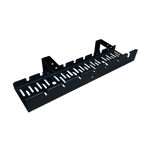
Decluttering for Clarity: Use cable management trays and simple desk organizers to keep the primary work surface clean. A tidy environment reduces visual distraction, improving cognitive clarity and focus.
-
Task-to-Position Pairing: Try matching specific tasks to specific positions:
-
Standing: Ideal for high-energy brainstorming, phone calls, virtual meetings, or tasks requiring quick reference.
-
Sitting: Ideal for deep, focused writing, complex data analysis, or tasks requiring fine motor control.
Technology and Automation
The electric standing desk is a piece of technology, and you should use its built-in automation features to your advantage.
-
Memory Presets: Utilize them! Program buttons for your perfect sitting height, your perfect standing height, and perhaps a third "casual" height for viewing videos or reading. These presets allow for instant, effortless, and accurate transitions, removing the friction of manual adjustment.
-
Timer Apps: Use the digital tools you already have—timer apps, smartwatches, or calendar reminders—to prompt position changes throughout the workday. Consistent reminders are the best way to build the habit of dynamic movement.
The Investment in You
A standing desk is much more than a piece of furniture; it is a tool for self-optimization and a commitment to longevity. By mastering the ergonomics of your setup and developing a consistent schedule for movement, you transform your workspace into a powerful engine for health and productivity.
The key to maximizing these benefits is consistency. Keep moving, listen to your body, and enjoy the energy and focus that a truly dynamic workspace can provide!
Upgrade to a more dynamic productivity. Explore the Titus X Smart Standing Desk Collection Today!
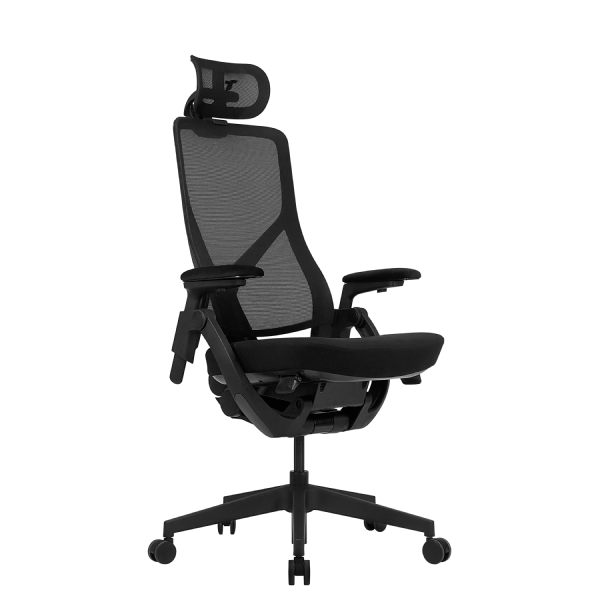
Your workspace is the engine of your career, and the right ergonomic chair is the fundamental tool for peak performance. Choosing TTRacing means selecting a locally-supported product designed for long-haul comfort, helping you safeguard your health while achieving continuous, focused work output every day.
Follow news and great promotions from TTRacing Thailand at
Facebook: TTRacing Thailand
TikTok: TTRacing_Thailand (Live channel)
Instagram TTRacing_th
X: TTRacing
YouTube: TTRacing
Information By
Author: Standing Desk & Lifestyle Content Team
Reviewer: Standing Desk Specialist
Role: To provide advice on selecting the correct chair and proper sitting posture.
Contact Channels: hello@TTRacing.co.th | Tel. 097-064-3960 | Line @TTRacing | Facebook TTRacing Thailand
Frequently Asked Questions (FAQ)
-
Is the Titus X Smart Standing Desk stable when set to its maximum standing height?
Yes. TTRacing's Titus X Smart Standing Desk is engineered with a reinforced, double-steel frame and typically uses a dual-motor system, ensuring rock-solid stability even at maximum height and under heavy loads (e.g., multiple monitors and accessories). This stability is critical for preventing wobble that can disrupt concentration.
-
How do I choose the correct size (S, M, L, or XL) for my workspace in Thailand?
Consider your working environment and equipment:
-
S (120cm) to M (140cm): Ideal for condos or small home offices (WFH) where space is limited, accommodating one or two monitors.
-
L (160cm) to XL (180cm): Recommended for dedicated offices or users with triple-monitor setups or a need for extensive writing/accessory space.
-
How loud is the electric motor during height adjustment? Will it disrupt calls?
TTRacing's Smart Standing Desks are equipped with low-decibel electric motors. The operation is smooth and quiet, specifically designed not to disrupt phone calls, virtual meetings, or colleagues working nearby in an open-plan office. This ensures transitions are seamless and friction-free.
-
I have existing furniture in my condo. What color options are available to match my decor?
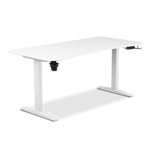
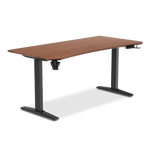
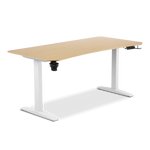
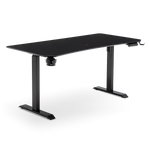
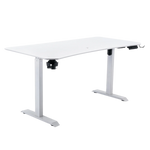
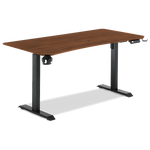
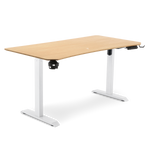
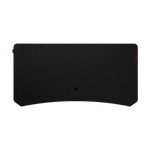
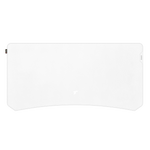
The Titus X Smart Standing Desk is offered in a range of aesthetic options to integrate seamlessly into any interior design, including neutral modern finishes like Onyx (Black), Howlite (White), and the natural tones of Walnut and Oak.
-
Can I put a traditional gaming chair (with carpet casters) on an Anti-Fatigue Mat?
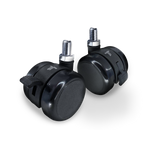
Yes, you can. The Anti-Fatigue Mat is designed to be durable. When you are sitting, your ergonomic chair should be positioned either on the mat or immediately next to it. Simply ensure the casters are locked or the chair is stationary when you are standing on the mat to prevent rolling damage.