 Thailand
 Malaysia
 Singapore
 Indonesia
 Philippines
 Australia
 United
States
United
States United Kingdom
 India
India

































































 Thailand
 Singapore
 Indonesia
 Australia
 United States
 United Kingdom
Best Standing Table Desks: Features You Shouldn’t Ignore

A standing table is no longer just a flat surface that holds your monitor and keyboard. It shapes how you move, how you sit, how you stand—and ultimately, how you feel at the end of the day.
The right standing table desk can reduce stiffness, improve posture, and help you stay focused for longer periods. The wrong one, however, may wobble, feel restrictive, or simply fail to support your workflow.
Many buyers focus on price or design first. While those factors matter, long-term satisfaction comes down to features. The best desks are built around real-world use: smooth adjustments, reliable stability, ergonomic flexibility, and thoughtful details that make daily work easier.
The truth is simple: the best standing table desks combine ergonomic design, smart adjustability, and practical usability to elevate both posture and performance.
What “Best” Really Means

“Best” doesn’t mean the most expensive. It means the desk that:
-
Supports proper posture
-
Fits your body dimensions
-
Handles your equipment weight
-
Adapts to your daily workflow
-
Lasts for years without issues
When evaluating the best standing desk, think beyond aesthetics. Consider how it functions hour after hour, day after day.
Feature 1: Height Adjustability and Range
Why Adjustable Height Is Non-Negotiable
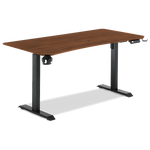
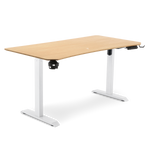
If you’ve ever asked, what is a standing desk, the defining feature is height adjustability.
A fixed-height desk cannot accommodate everyone. People vary in height, arm length, and sitting posture. Without proper alignment:
-
Wrists bend unnaturally
-
Shoulders lift or collapse
-
Neck tilts downward
-
Lower back rounds
An adjustable standing desk allows precise height customization. This ensures your elbows remain at approximately 90 degrees, wrists stay neutral, and your monitor aligns with eye level.
Height range matters just as much as adjustability. Shorter users need a desk that lowers sufficiently for seated posture. Taller users need enough maximum height to stand comfortably without hunching.
A limited range can defeat the purpose of buying a standing desk in the first place.
Electric vs Manual Adjustment Systems
When it comes to adjustment systems, there are two main categories:
-
Manual Systems
These often use a hand crank or pneumatic mechanism. They are generally more affordable and mechanically simple. -
Electric Standing Desk Systems
An electric standing desk uses a motorized system to raise or lower the surface smoothly at the press of a button. Many models offer programmable presets for quick switching between sitting and standing.
In daily use, ease of adjustment directly affects how often you actually change positions. If adjustment feels slow or inconvenient, you’re less likely to use the feature regularly.
That’s why electric models have become increasingly popular, especially in growing markets like standing desk Thailand, where remote professionals and gamers value seamless transitions.
Feature 2: Stability and Build Quality
Foundational Stability for Flow and Focus
One of the most overlooked features of a standing table is stability.
A desk that wobbles—even slightly—can:
-
Disrupt typing rhythm
-
Shake monitors
-
Create visual distractions
-
Reduce overall confidence in the setup
Stability becomes even more important when the desk is extended to standing height. A well-designed frame should remain solid and secure at maximum elevation.
When testing a desk, pay attention to side-to-side movement and front-to-back sway. A high-quality frame should feel sturdy, even under load.
Materials That Last
Build quality determines long-term durability.
Look for:
-
Thick steel or reinforced metal frames
-
Strong joint connections
-
Scratch-resistant desktop surfaces
-
Smooth, high-quality finishes
Inferior materials may sag under heavy monitors or wear down quickly over time.
For those exploring modern ergonomic options, brands like TTRacing focus on combining robust frames with smart functionality to meet the demands of both home and professional users.
Feature 3: Ergonomic Enhancements That Improve Daily Use
Memory Presets and Smart Controls
Smart controls elevate the usability of an ergonomic standing desk.
Memory presets allow you to save preferred sitting and standing heights. Instead of manually adjusting each time, you simply press a button.
Benefits include:
-
Faster transitions
-
Encouragement to switch positions regularly
-
Consistent ergonomic alignment
This feature is particularly useful for shared desks or hybrid workspaces.
Cable Management and Surface Layout
Clutter can undermine even the best desk.
Built-in cable management systems keep wires organized and out of the way. This not only improves aesthetics but also prevents cables from interfering during height adjustments.
A well-designed surface layout also ensures:
-
Enough space for dual monitors
-
Proper keyboard and mouse placement
-
Comfortable wrist positioning
A thoughtful layout supports posture by preventing awkward reaching or twisting.
Feature 4: Safety and Comfort Accessories
Anti-Collision and Load Sensors
Modern desks often include safety sensors that stop movement if an obstacle is detected. This is especially important in homes with children or pets, as well as busy office environments.
Weight capacity also plays a crucial role. If you use multiple monitors, speakers, or heavy equipment, your standing table must handle the load without strain.
A strong frame builds confidence—especially when raising the desk to full height.
Comfort Add-Ons: Mats, Footrests, and Monitor Arms
The desk itself is just one part of an ergonomic ecosystem.
To maximize comfort, consider:
-
Anti-Fatigue Mats
Reduce pressure on feet and legs while standing. -
Ergonomic Footrests
Support circulation during seated periods. -
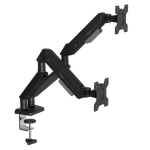
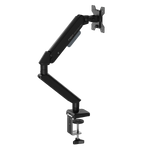
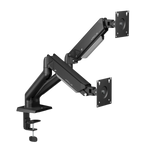
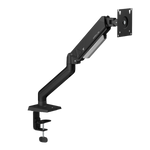
Adjustable Monitor Arms
Allow independent screen height adjustment for perfect eye alignment.
These accessories complement your standing table desk, ensuring posture support remains consistent in both sitting and standing positions.
Match Your Desk Features to Your Lifestyle
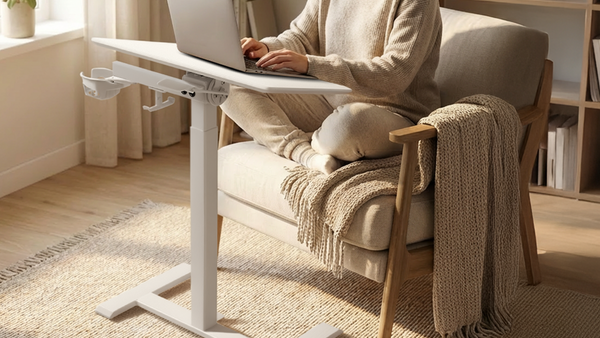
Home Office Productivity
For home offices, quiet motor operation is essential. A smooth, low-noise electric system prevents distractions during meetings or focused work sessions.
Compact designs are also helpful for smaller spaces.
Professional and Creative Workflows
Designers, developers, and multitaskers often switch between activities throughout the day.
For these users, features like:
-
Wide height range
-
Memory presets
-
Large surface area
-
Strong load capacity
make daily transitions seamless and efficient.
Gamers, Streamers, and Power Users
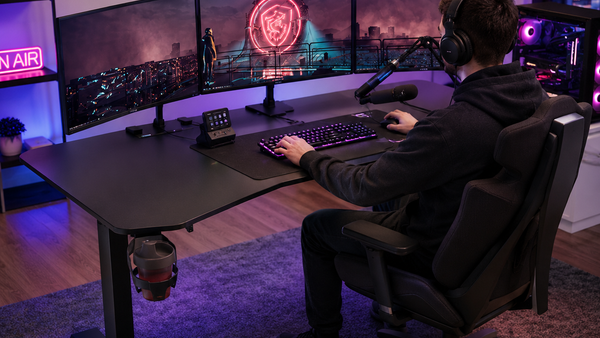
Gaming and streaming sessions can last for hours. Stability becomes critical, especially with dual monitors or heavy equipment.
Memory presets help gamers quickly switch between seated play and standing stretches.
For those searching for the best standing desk, prioritize models that combine strong frames with reliable adjustment systems and ergonomic enhancements.
The Features That Define the Best Standing Table Desk

Feature-Focused Summary
The best standing table desks share several essential characteristics:
-
Wide and precise height adjustability
-
Smooth manual or electric adjustment systems
-
Strong, wobble-free construction
-
Smart ergonomic features like memory presets
-
Built-in cable management
-
Reliable safety systems
-
Durable materials
These features directly influence posture, comfort, and productivity.
A standing table isn’t just a trend—it’s a practical tool designed to support healthier work habits.
Before choosing your next desk, look beyond appearance and price. Evaluate how each feature supports your daily routine, your body dimensions, and your work demands.
An adjustable or electric standing desk designed with real ergonomic principles can transform how you work, reducing strain while enhancing focus.
If you’re ready to upgrade your setup, explore standing table desks that prioritize adjustability, stability, and smart functionality. Investing in the right features today can redefine your workspace experience for years to come.
Contact us for more details or to view various models on our website: https://TTRacing.co.th/ or chat with us via Line @TTRacing or Facebook: TTRacing Thailand. We are happy to provide consultation and service to you.
Follow news and great promotions from TTRacing Thailand at
Facebook: TTRacing Thailand
TikTok: TTRacing_Thailand (Live channel)
Instagram TTRacing_th
X: TTRacing
YouTube: TTRacing
Frequently Asked Questions (FAQ)
1. Are standing desks really necessary for office workers?
Standing desks allow you to alternate between sitting and standing throughout the day, which can help reduce back pain, neck strain, and office syndrome symptoms. They also promote better circulation and improved focus, especially for people who work long hours at a desk.
2. Should I choose a manual or an electric standing desk?
If you value convenience and plan to switch positions frequently, an electric standing desk is the better option—especially models with memory presets. Manual desks are more budget-friendly and suitable for users who do not need to adjust height often.
3. Why is height range important in a standing desk?
A proper height range ensures the desk fits your body dimensions. It should lower enough for correct seated posture and raise high enough for comfortable standing without hunching. A limited height range can reduce ergonomic benefits.
4. How much weight should a standing desk support?
Weight capacity depends on your setup. A single-monitor workstation may require less support, but dual monitors, speakers, and heavy equipment demand stronger frames. Ideally, choose a desk that supports at least 80–120 kg for stability and safety.
5. Do I need accessories to maximize the benefits of a standing desk?
While not mandatory, accessories such as anti-fatigue mats, monitor arms, and ergonomic footrests significantly enhance comfort and posture support. They help maintain proper alignment whether you are sitting or standing.